
Capture it however it arrives
Share a school email straight from Mail — one tap, no forwarding address. Photograph a flyer from the bottom of the bag. Say an item out loud and keep walking. Or type it in a few seconds.
School Corral turns school emails, flyers and voice notes into a clear list of things to do — sorted by child, by date, and by what is actually being asked of you: sign it, pay it, pack it, show up.
Free for one parent. Subscribe to share the list with a co-parent.
Occasional updates. New features and school-year tips, a few times a year.

Share a school email straight from Mail — one tap, no forwarding address. Photograph a flyer from the bottom of the bag. Say an item out loud and keep walking. Or type it in a few seconds.
There are no School Corral servers. Extraction happens on your device using Apple Intelligence, so your children's school life is never sent to us — there is no "us" to send it to. Your household syncs through your own iCloud, which we cannot read. No ad network, no analytics, no third-party code.
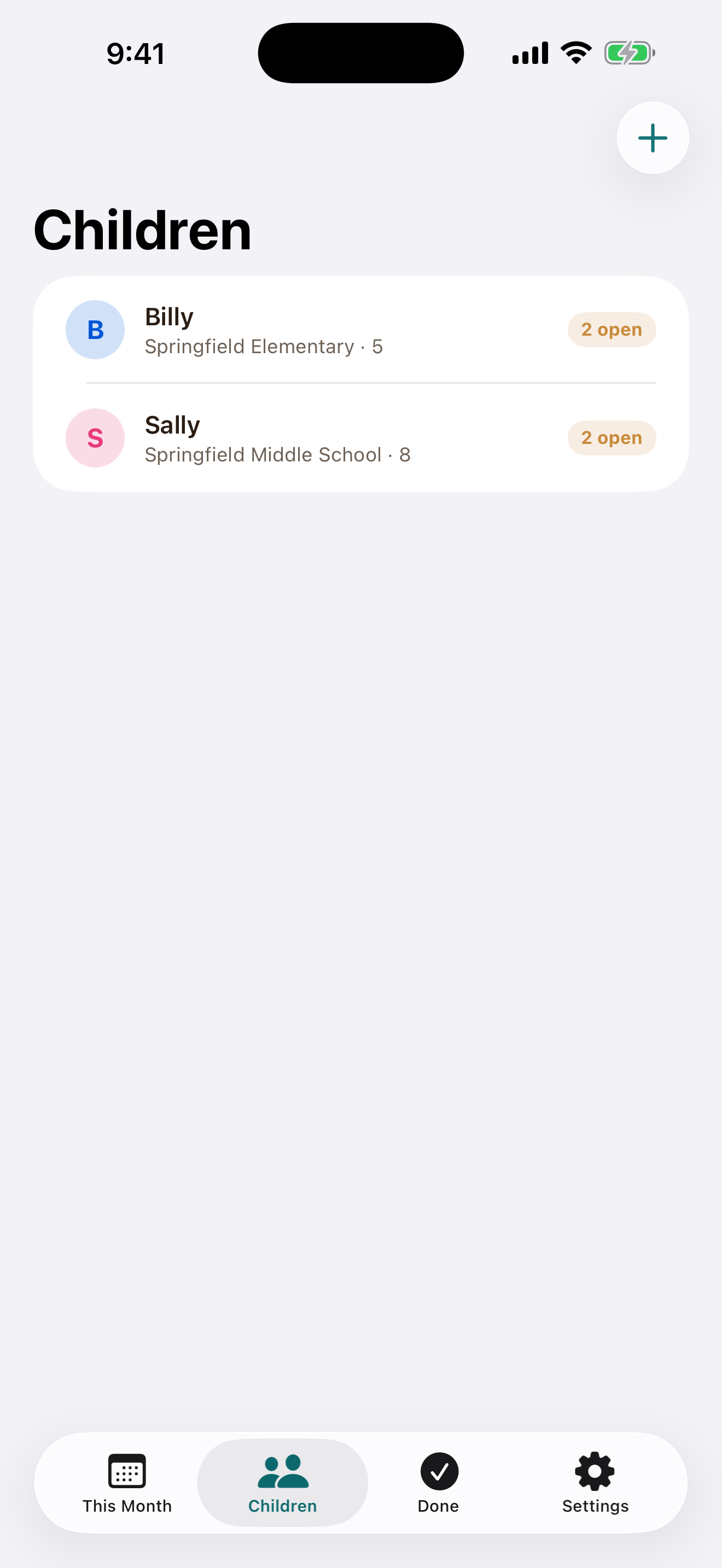
Invite a co-parent, step-parent, grandparent or caregiver, and everyone sees the same list. When someone adds a permission slip or marks a payment done, a notification arrives in seconds and the app is up to date the moment you open it. Everyone in a household sees everything in it, including the original email, note or flyer an item came from.
A head start, not a guarantee. School Corral is good at the clear asks — sign this by Friday, send $5 for the trip, costume on Thursday. On a long message it can stop before the end or label something oddly. Everything it finds waits in Review for you to check, change or delete, and adding what it missed takes seconds. It saves you the typing; it does not replace reading the message.
The inbox is not the plan
A long email can hide five separate jobs. A flyer disappears under the mail. A date gets copied to the wrong calendar. School Corral turns the noise into an honest, shared plan.
Dates, payments, forms, and supplies are buried in paragraphs.
Email, paper, voice notes, calendars, and family group chats.
Knowing what needs doing quietly becomes one parent's job.
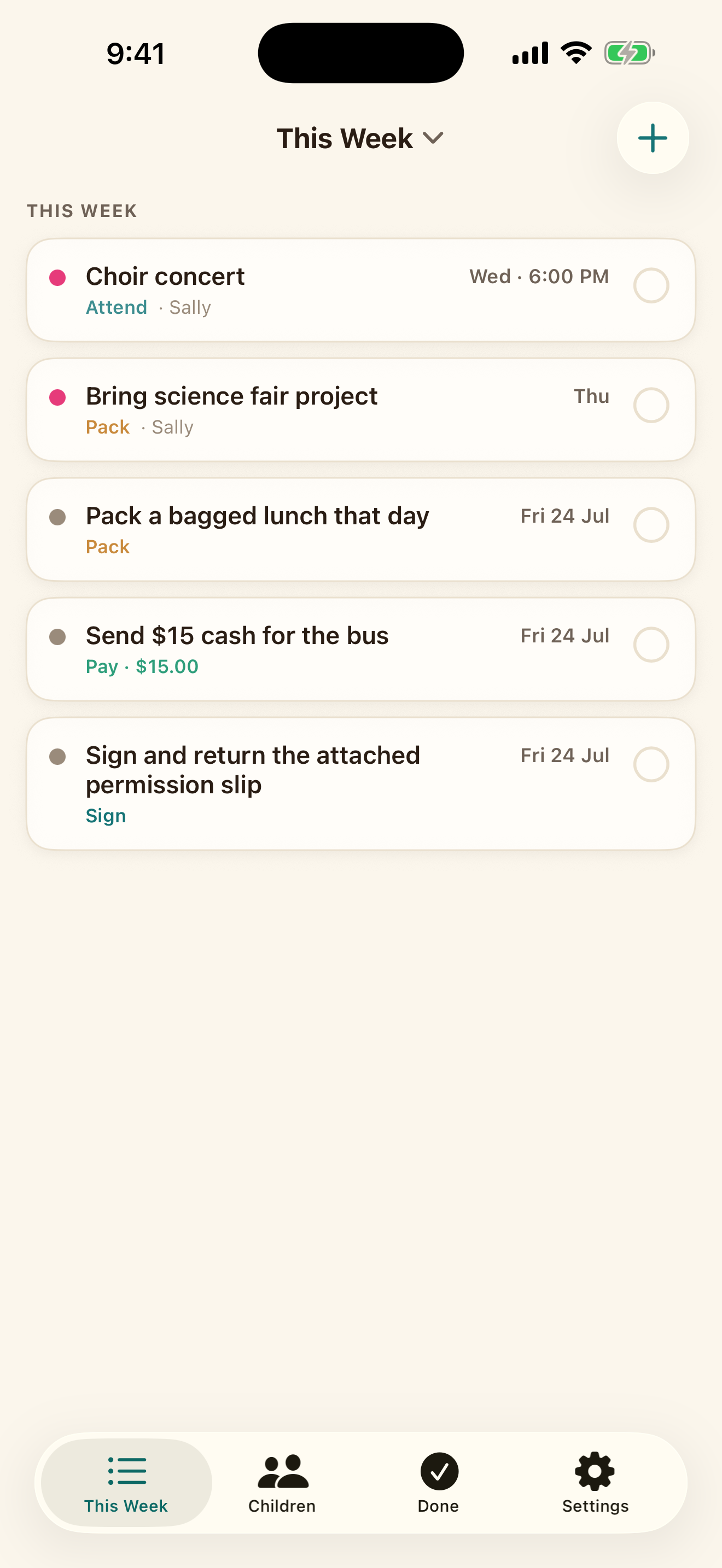
One school email. Five clear actions.
Share from Mail, scan a flyer, or speak a quick note. School Corral finds the actionable details on your phone and puts them where the whole week makes sense.
1 Share from Mail
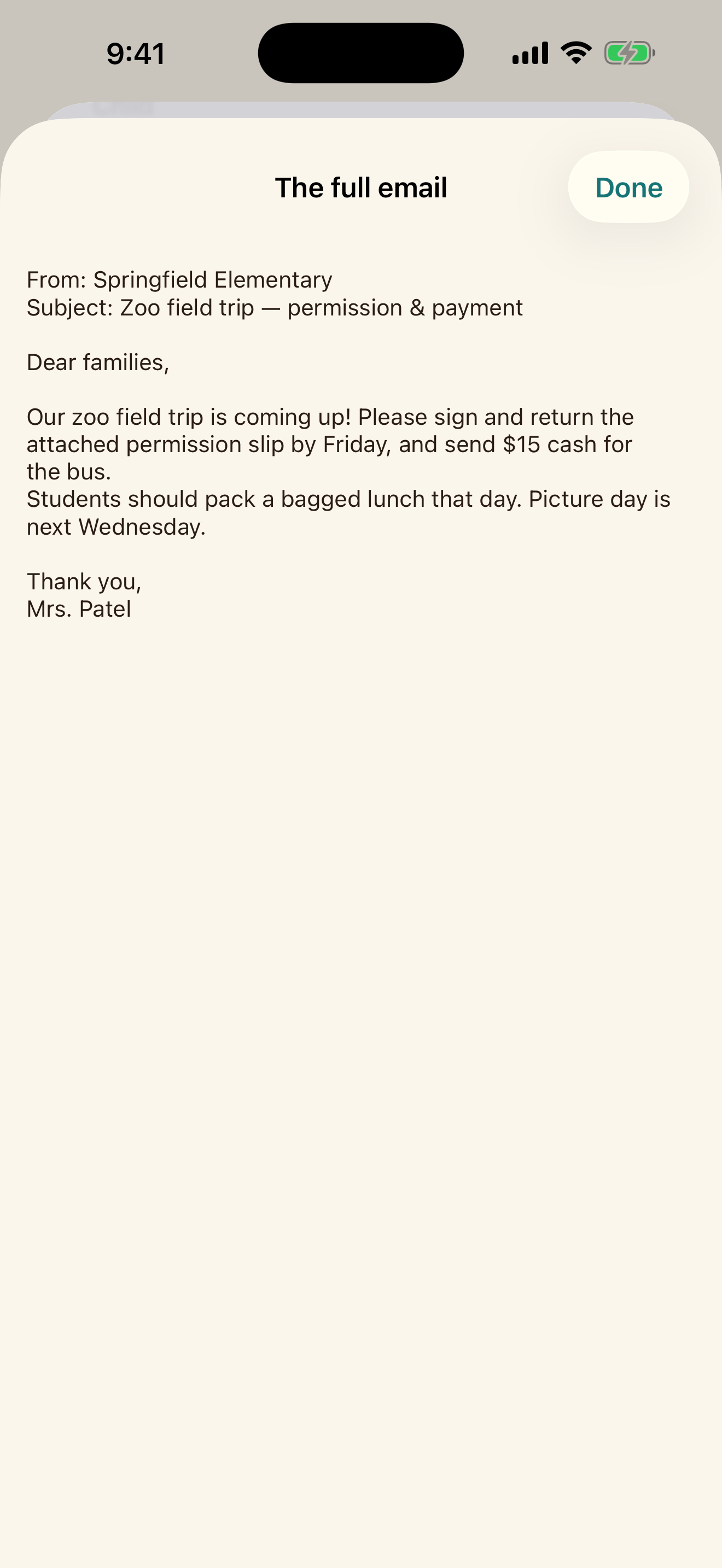
2 Get the actual to-dos
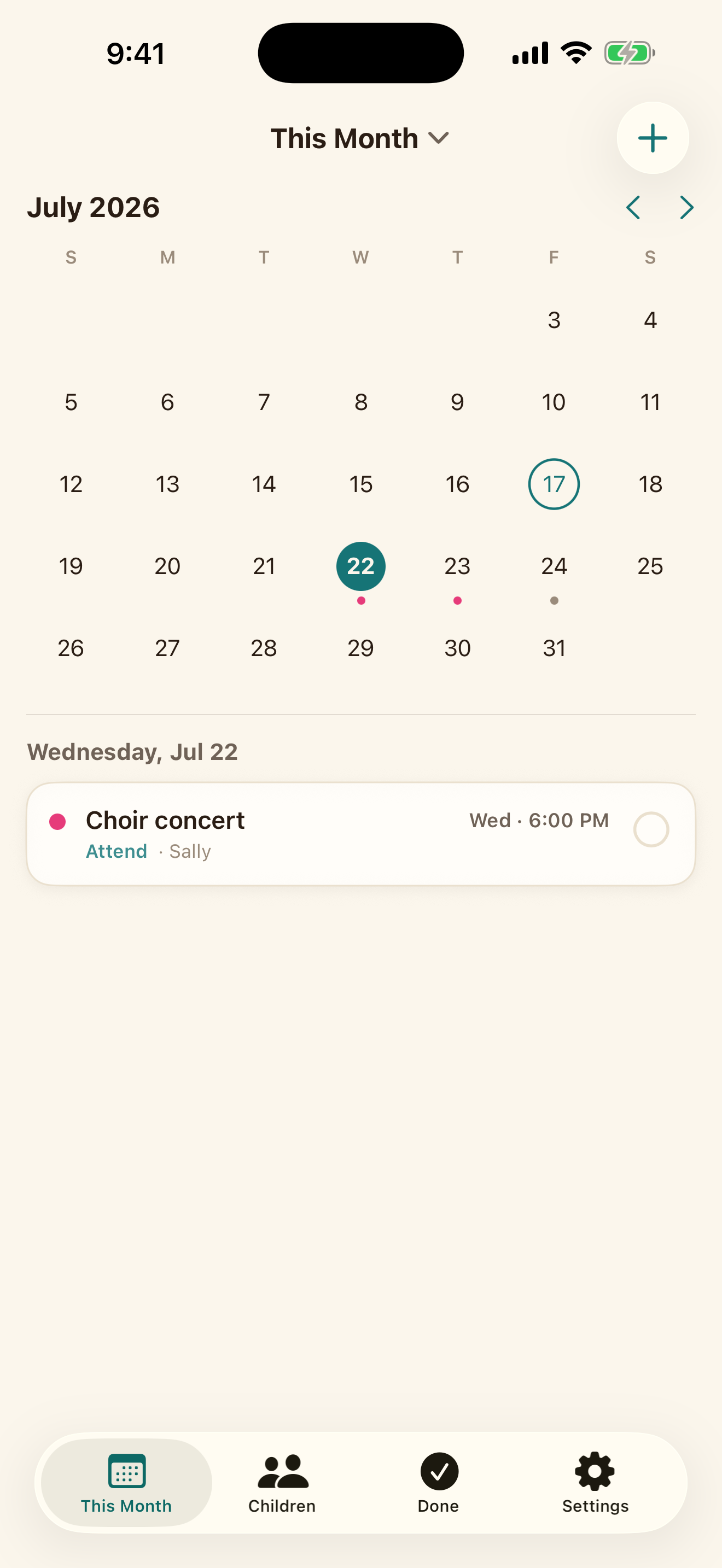
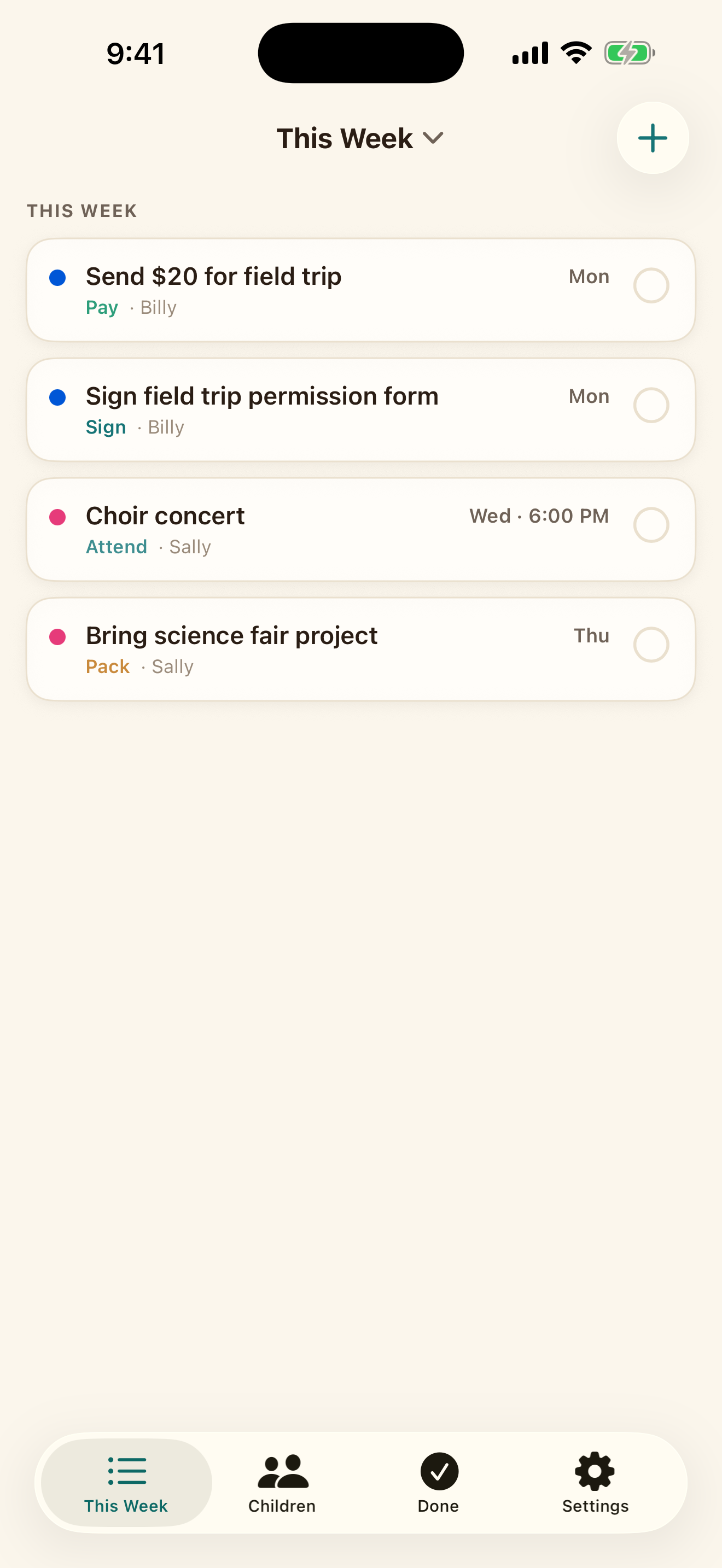
A week your family can understand
Color-coded children, clear action types, and simple completion make it obvious what is due, who it belongs to, and what is already done.
Private by architecture
The original school message is processed on-device. Your list stays on your phone and in your own private iCloud. School Corral has no ad network, no analytics SDK, and no company database of your children's information.
Read the plain-English privacy policySchool communications are analyzed by Apple Intelligence directly on your device.
Your own Apple account handles backup and household sharing.
Mighty Yak Labs does not receive your school messages, child profiles, or family to-dos.
Automatic capture requires an iPhone with Apple Intelligence turned on. On any other iPhone, School Corral works with manual entry.
Simple household pricing
No ads, no data sale, and no paywall around solo AI capture.
School Corral
$0
Free for solo use
Free forever for one parent.
Share the load
School Corral Premium
$24.99 / year
or $2.99 monthly · 1-week free trial
Special launch pricing for your whole household
Good questions
We would rather explain how School Corral works than ask you to take a privacy promise on faith.
Visit SupportNo. Share a message directly from Mail or use a one-tap shortcut. The message is processed on your iPhone; it is not sent to Mighty Yak Labs.
No. Solo use—including AI capture—is free. Premium unlocks household sharing so other trusted adults can work from the same list.
You can install School Corral and add items manually on all supported iPhones. Automatic AI capture requires Apple Intelligence hardware.
Yes. Reopen the scanned image or full captured text from the item when you want to verify the details.
Everything in the household: your children, items, due dates, who changed what—and the original material each item came from, including the text of a captured email or voice note and any flyer you scanned, image included. That applies from the moment you capture it, before you have confirmed it. There is no way to keep a single item private from the household.